

Gemstone Study Tool
Chelsea Filter
A compact gemological viewing filter used to help observe color reactions in select gemstones, glass, and synthetic materials.
Pocket SizeGem StudyCollector Tool
How to use it, what to look for, and what red, green, and dark reactions can actually mean when studying emerald, ruby, sapphire, jade, spinel, aquamarine, and other colored stones.
A compact gemological viewing filter used to help observe color reactions in select gemstones, glass, and synthetic materials.
A Chelsea filter is a compact optical filter used in gemology as a fast screening aid. It does not identify gemstones on its own, but it can reveal clues related to coloring agents such as chromium and cobalt.
It mainly transmits deep red and yellow-green ranges, so stones may appear red, pink, green, gray-green, or dark when viewed through it.
It quickly raises useful questions about coloring agents, but it is not a standalone identification tool.
Emerald versus some green lookalikes, and blue sapphire or aquamarine versus cobalt-colored synthetic blue spinel or glass.
Weak, colored, or inconsistent lighting can make otherwise useful reactions look dark or misleading.
A red reaction does not equal emerald, and a dark or green reaction does not eliminate every possibility. Treat this as a directional clue and confirm with refractive index, magnification, spectroscopy, fluorescence, and professional lab work when value matters.
Wipe away fingerprints, dust, oil, and residue. Surface grime can change how light reflects from the stone and make the reaction harder to read.
Place the gemstone under a strong, steady white light. Weak lighting can make the stone look dark and give a misleading result.
The filter should be held close to the eye, not necessarily close to the stone.
Use white or neutral gray. Avoid colored pads and reflective trays because they can influence perception.
Write down bright red, weak red, green, gray-green, dark, or no useful reaction.
Build a reference tray of known samples and compare under the same light setup.
Often points toward chromium or cobalt-related coloring, but it does not automatically prove identity.
Often means the stone is not showing the same red response associated with chromium-rich or cobalt-colored material.
May mean the stone is too saturated, too opaque, poorly lit, or not responsive with this filter.
Choose a gem color to open the matching Chelsea filter study chart.
A red reaction can occur in multiple materials. It is a clue, not a name tag.
Weak light makes many stones look dark and can hide useful reactions.
Colored LEDs and mixed lighting can distort what you see through the filter.
Metal settings and display pads can influence readings. Loose stones are easier to interpret.
The Chelsea filter should be one tool in a broader gem study workflow.
Note body color, transparency, cut, and visible inclusions.
Record the visual reaction consistently.
Look for growth patterns, bubbles, inclusions, and treatment clues.
RI is usually much more diagnostic than filter response.
Use known stones under the same lighting for calibration.
Use professional gem labs when value, insurance, or resale depends on certainty.
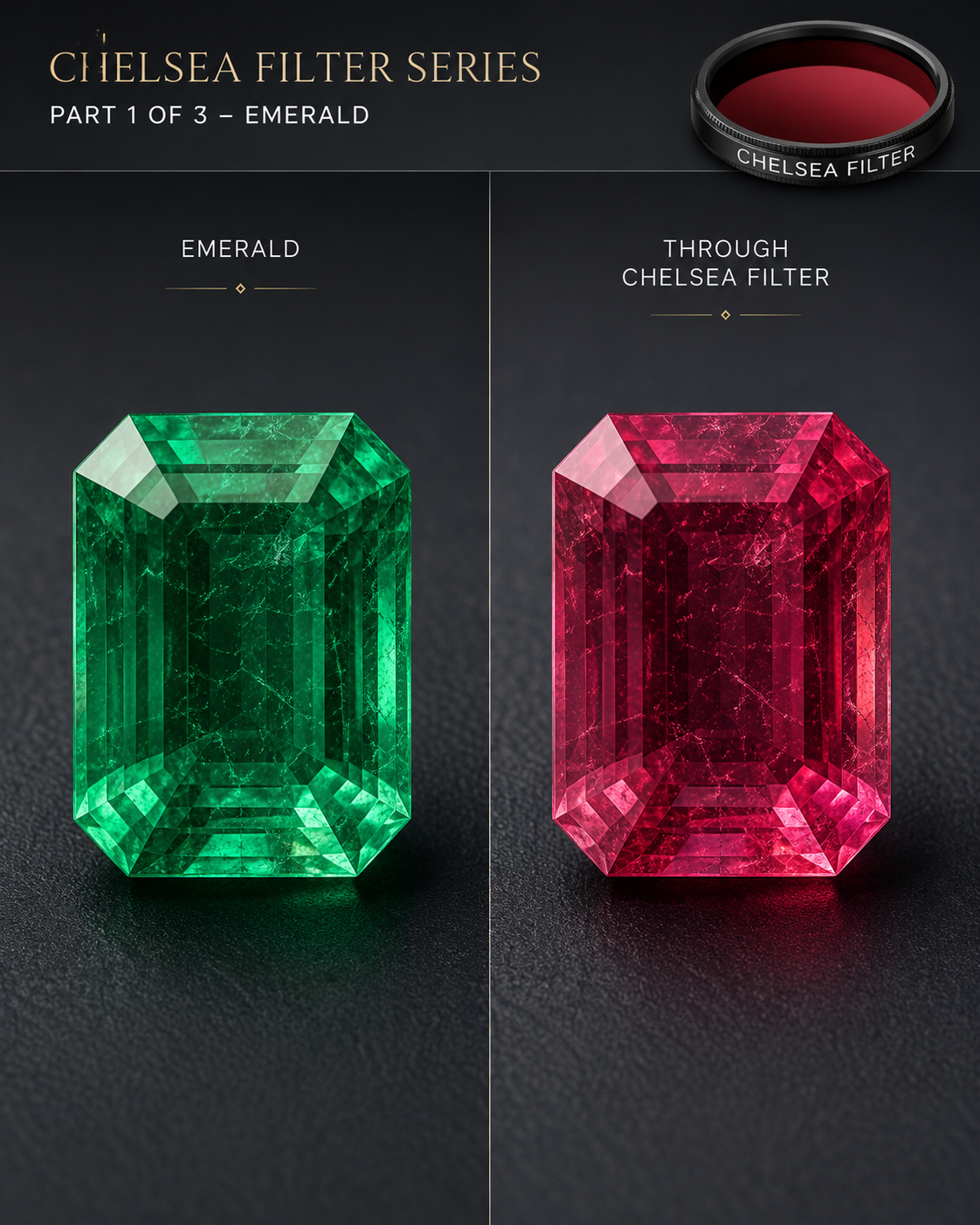
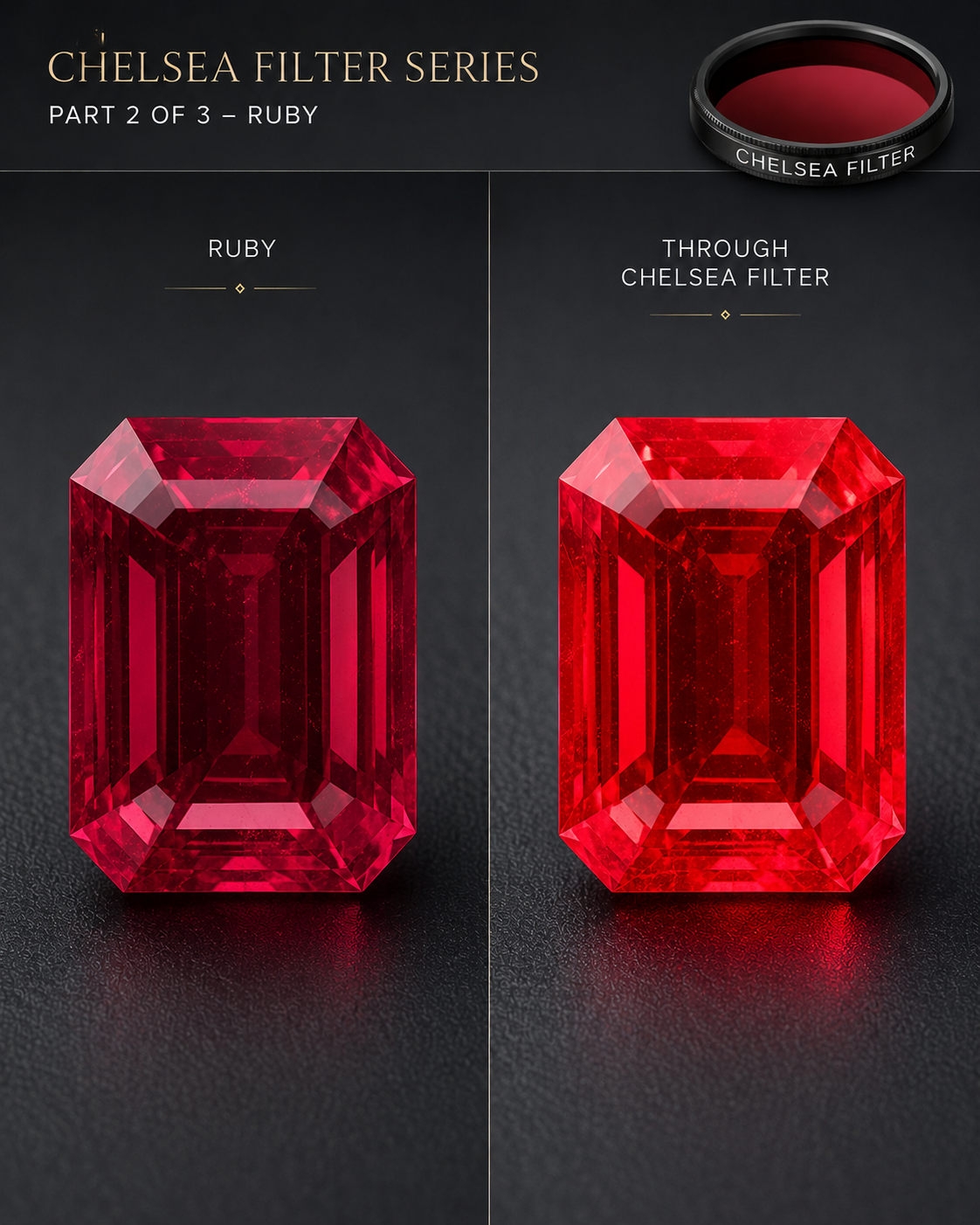
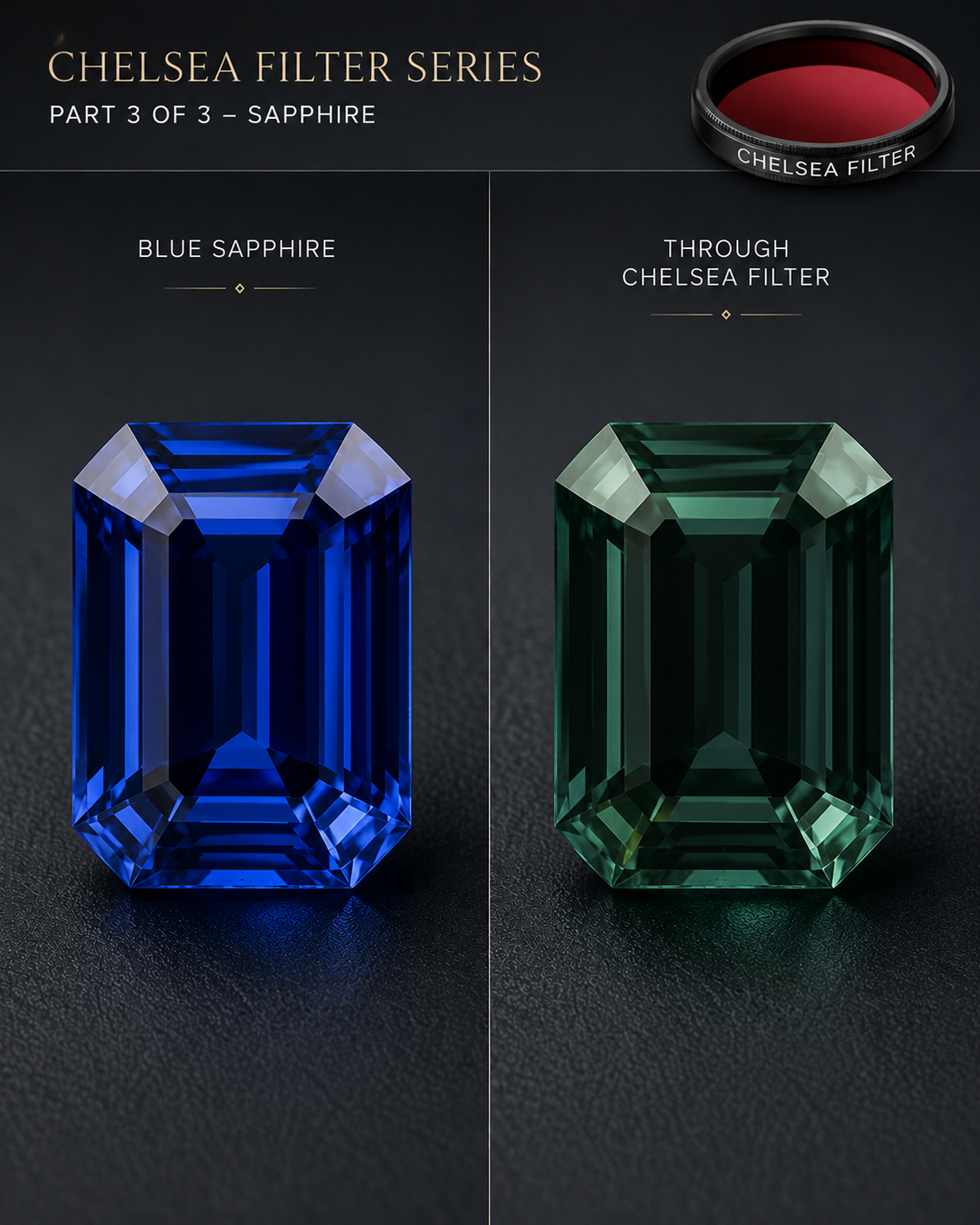
The Chelsea filter is a practical and affordable screening tool, especially for learning how chromium- and cobalt-colored materials behave.
Keep it in a broader identification workflow and confirm critical stones with stronger diagnostic methods and lab testing.